Tutorial 1 of 5
Your first comic book
Beginner 5 min
Start with a template, arrange pages and keep a portable editable book.
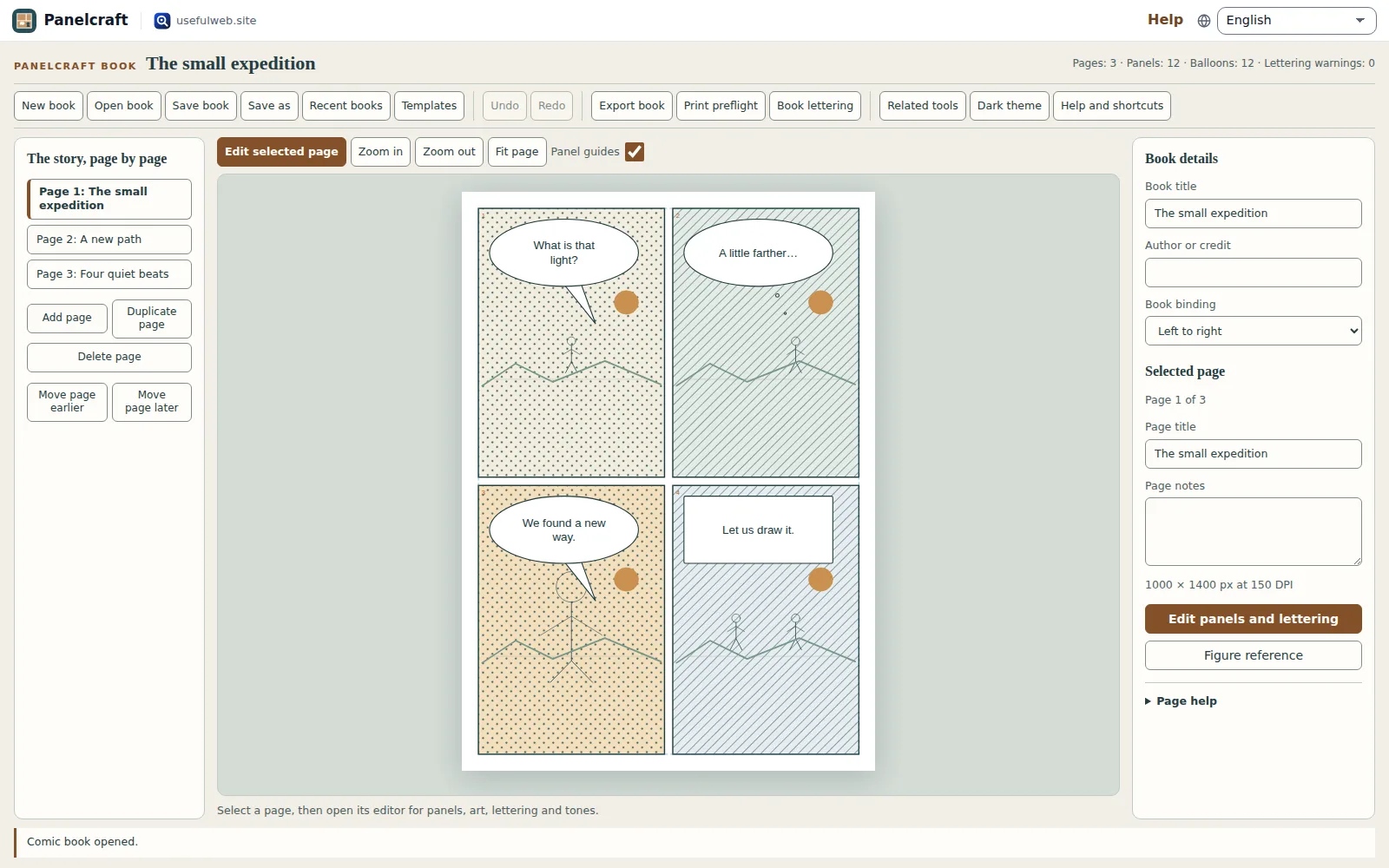
Panelcraft gives a comic its own book workspace. The page list holds the story in order, the middle preview shows the selected page, and the properties panel holds the book credit and page notes. Your work stays in your browser.
Choose Templates and press Open template under The small expedition. This original example contains three pages with rough figures, dialogue and patterns. Select each page in The story, page by page to see how the story changes. The rough staging is a starting point; replace it with your own art.
Build the sequence
Choose Add page for another page with the current page dimensions. Duplicate page copies the selected page and its independent artwork. Edit its title and write planning notes in the properties panel.
Use Move page earlier and Move page later to change the sequence. The visible page number follows its position. The page identity stays stable, so an edit in the page editor continues to belong to the correct page.
Use Delete page to remove a page. Undo restores it, including its notes and artwork. A book always needs at least one page and supports at most twelve.
Keep the book editable
Save book downloads a .panelcraft.json file. It contains all pages, panels, speech balloons, tones, artwork snapshots and notes. Save as gives a copy a new title and stores it as a separate recent book.
Edits also autosave to IndexedDB on this device. Recent books keeps the five most recently saved books. Browser storage is convenient, but a downloaded file is the portable backup. Open book accepts book files, single Comic Desk pages and screentone recipes.
Choose Help and shortcuts (or press ?) for the shortcut guide. Untick Enable single-key shortcuts there if the ? key gets in your way. Ctrl+S downloads the editable book; Ctrl+O opens a file. When the page preview has focus, the left and right arrow keys change pages, Enter opens the page editor and Delete removes the page.
Ready to try it?